CAKE.com Bundle Subscription
CAKE.com Bundle is a comprehensive subscription package that offers Enterprise access to all three essential productivity solutions: Clockify, Pumble, and Plaky. With the CAKE.com Bundle, you can improve your workflow and integrate time tracking, team messaging, and project management into one cohesive suite.
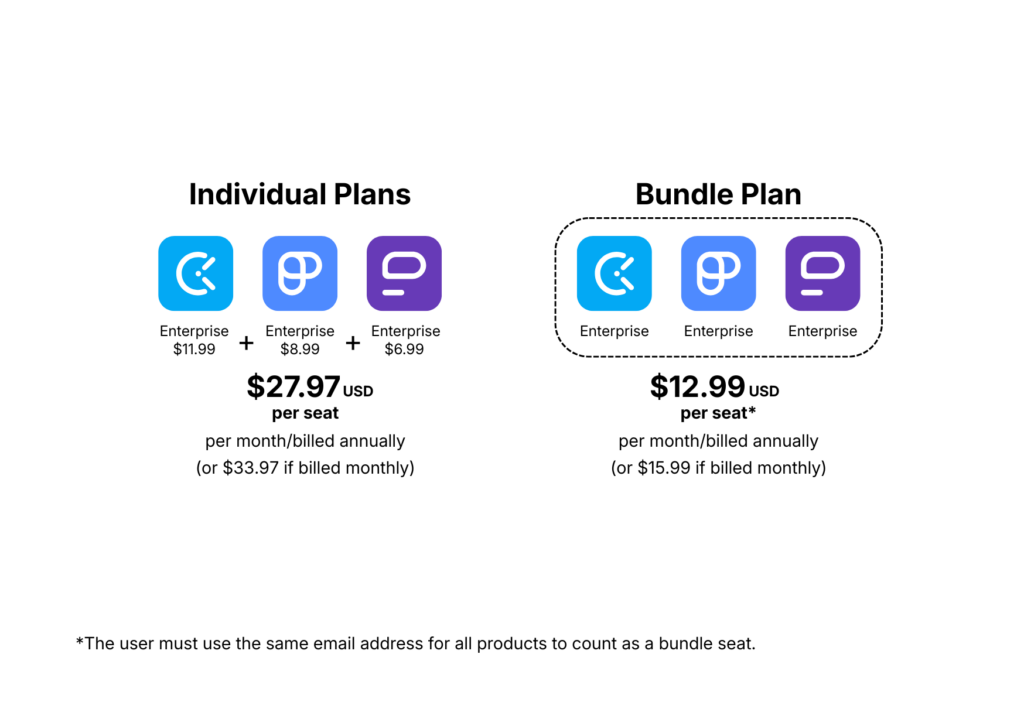
Check out this article to learn more about the features included in the Bundle plan.
Purchase CAKE.com Bundle Plan #
To purchase the CAKE.com Bundle:
- Go to
 Workspaces on your CAKE.com account page
 - Click the three-dot icon on the workspace row and select Manage subscription
- Click See Plans
- Choose your preferred billing cycle (Annual or Monthly)
- Click Upgrade on the CAKE.com Bundle plan
- Complete the payment process:
a. Provide your payment information
b. Adjust the number of seats to purchase
c. Review the terms of use and select the I agree to CAKE.com Terms of Use checkbox
d. Click Finish payment
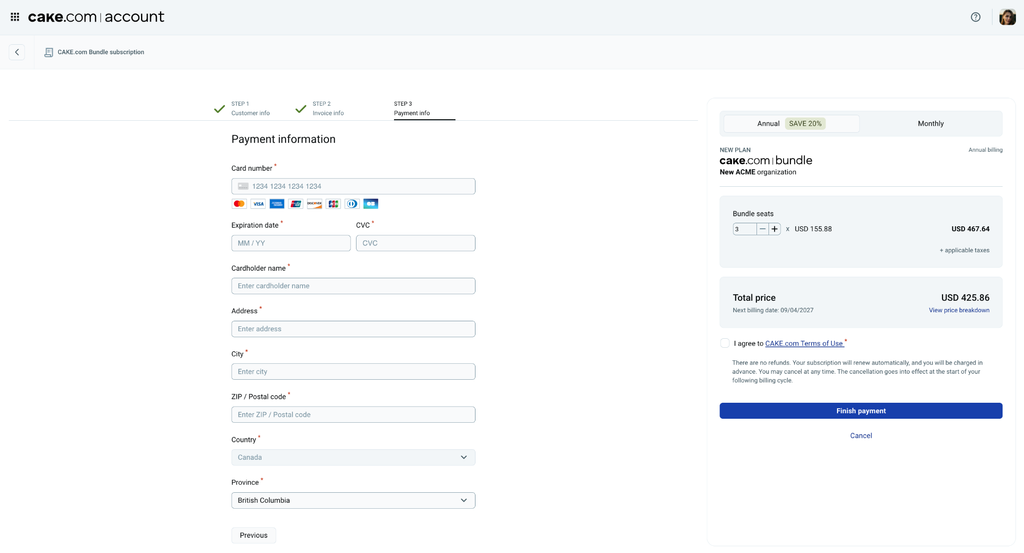
You can also purchase the CAKE.com Bundle subscription from any of the individual apps. While using your selected app, follow the steps for subscription purchase and choose the CAKE.com Bundle plan. Check the following articles for more information:
- Subscribe & upgrade – Clockify Help
- Upgrade a Free Workspace to a Paid Plan – Pumble Help
- Upgrade a free Workspace to a paid plan – Plaky Help
When you buy one Bundle seat, you can invite a user to use all three apps in the CAKE.com suite. Check out this article for more information about bundle seats.
Cancel bundle subscription #
You can cancel your subscription any time you want, in just a few seconds. To cancel your bundle subscription, follow the cancellation process on any of the CAKE.com app, regardless of which app you bought the bundle subscription from:
When you cancel a bundle subscription, all workspaces in your organization will be downgraded to the Free plan.