Plaky: Project Management
Plaky is designed for managing your projects, allowing you to organize your project activities and tasks in one place. It enables you to keep users in different teams aligned while working towards the same goal of completing the project.
CAKE.com Suite integration #
As part of the CAKE.com Suite, Plaky and Pumble can be integrated when you have a workspace in each app within the same organization by selecting project notifications in your Preferences page.
Plaky and Clockify can also be integrated by setting up a Clockify project that matches to a Plaky board in the same organization then using the timer to record time spent on Plaky tasks directly in Clockify.
With these integrations, you can save time from switching apps by getting updates on your projects directly on Pumble.
Core features of Plaky #
Visual organization #
A workspace in Plaky is composed of Spaces and Boards that help you organize your different projects and teams. Each Plaky board gives a visual representation of the activities for a project with the use of different fields such as status, assigned user, due date, and other relevant information.
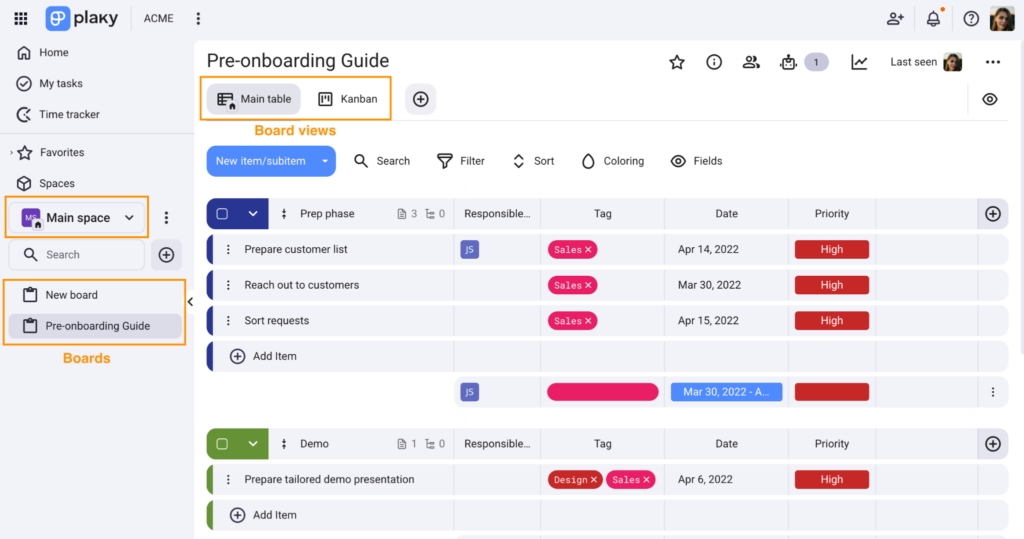
Board views also add another layer of organization, which allows multiple teams to have their own view of items assigned to them while working in the same board.
Task management #
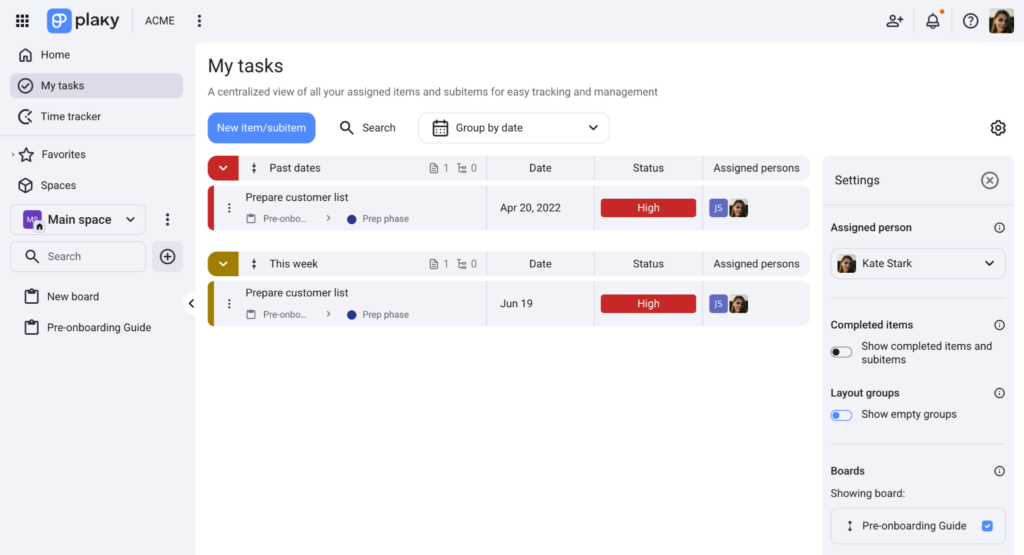
Users in the workspace can easily monitor and update their tasks in the My tasks page. This page gives a consolidated view of all assigned tasks from different boards. When you update an item from this page, it reflects automatically in the corresponding board.
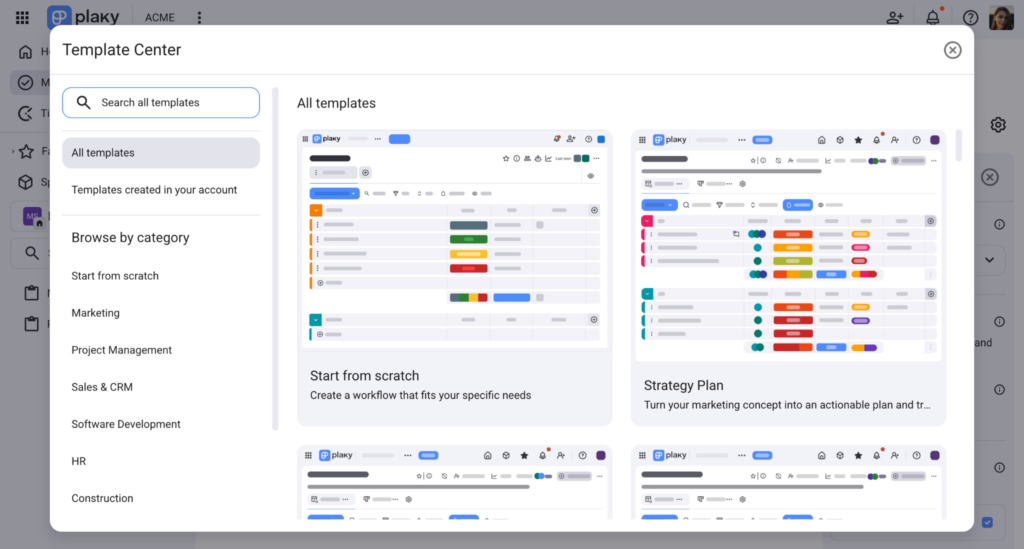
If you are working on different projects for different clients, you can easily recreate project boards with the same activities and milestones with Board templates. You can choose from the available templates or create a template from your existing board and save time from creating boards from scratch.
Workflow automation #
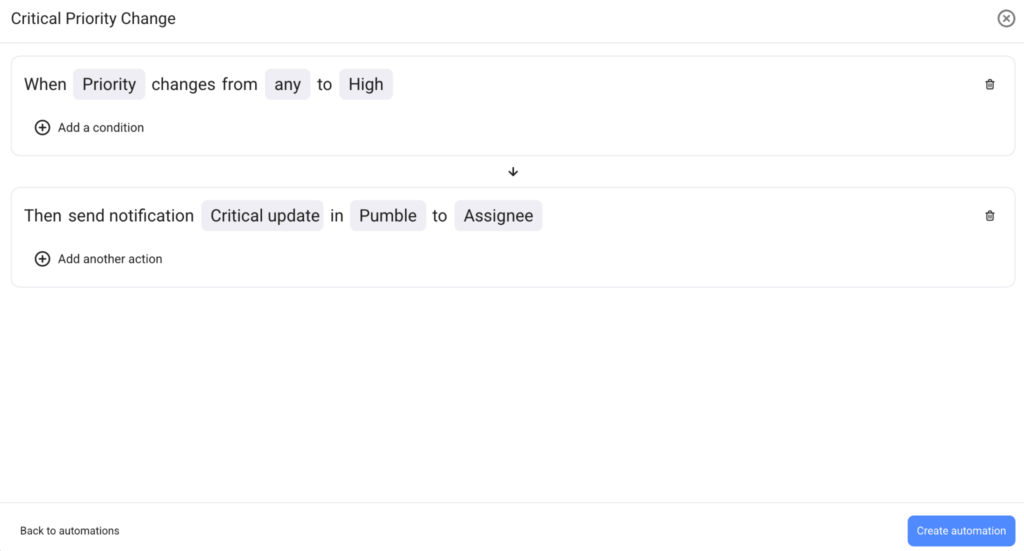
Board owners can create Board automations to perform tasks based on a selected trigger or condition. This feature allows immediate board updates, which keeps the board updated in real time without manual intervention.
Watch this video to learn more about Plaky features.
Check out this quickstart guide for more information on using Plaky for project management.
You can also refer to this article for a comprehensive list of Plaky’s features.
Start working with CAKE.com Suite #
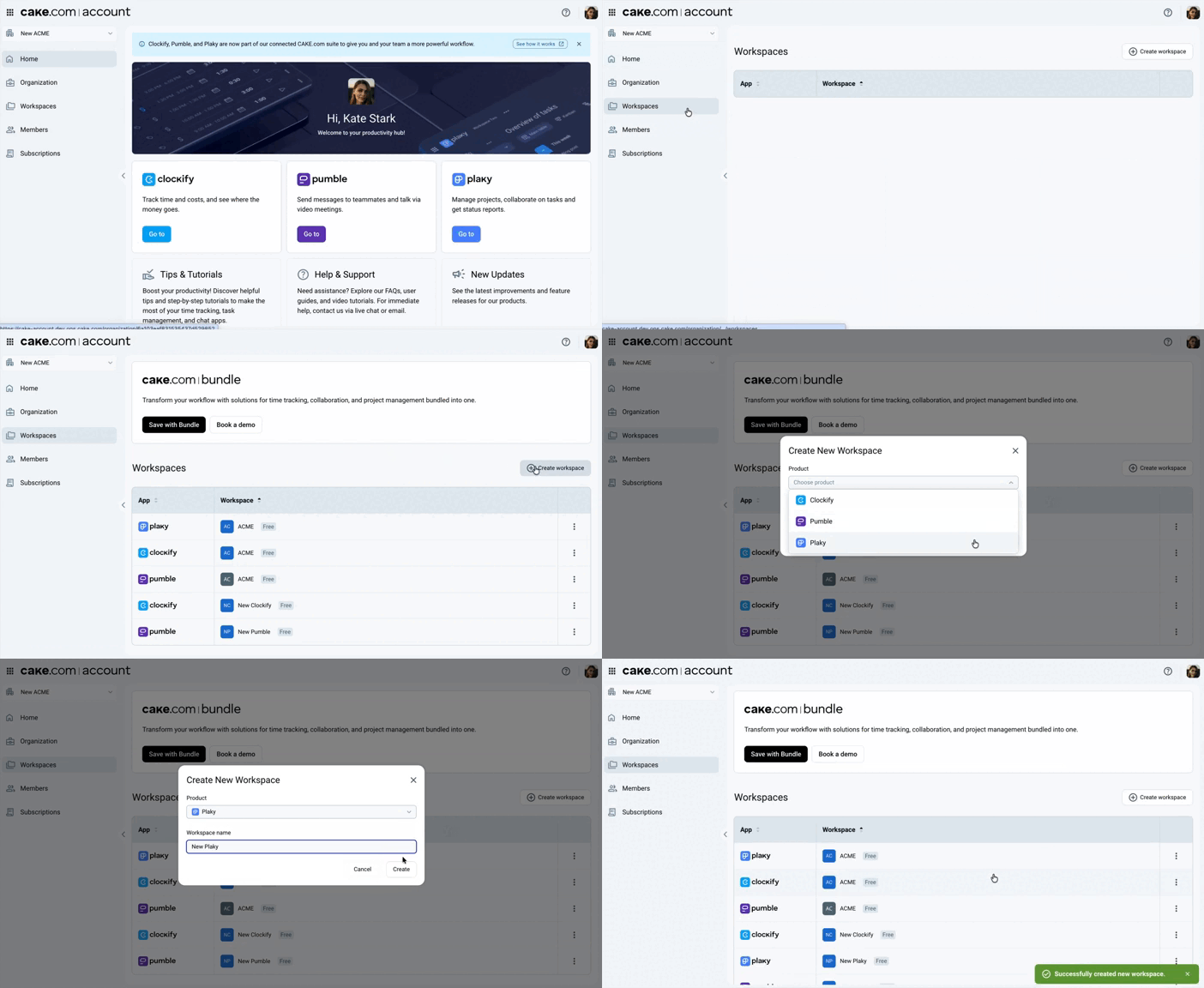
You can easily create a Plaky workspace from the CAKE.com homepage with the following steps:
- Navigate to
 Workspaces
 - Click
 Create workspace
 - Select Plaky from the dropdown list
- Enter the Workspace name
- Click Create
With your CAKE.com account, you can access and switch to Pumble and Clockify through the switcher without repeatedly logging in your credentials.
- For owners: Review the Owner onboarding guide to configure your organization
- For members: Check the Member onboarding guide to set up your profile and start organizing your project plans
You can access the Enterprise features and maximize the use for all CAKE.com apps through the CAKE.com Bundle subscription.