Pumble: Team Communication
Pumble is a team communication and collaboration platform to keep your team in sync and updated with everything happening in your organization through messaging, calls, and file sharing. This is an important app that connects Clockify and Plaky together.
CAKE.com Suite integration #
As part of the CAKE.com Suite, Pumble and Clockify can be integrated when you set your preferences. You can get notifications for time tracking reminders, time off requests and updates, and timesheet approvals.
Aside from Clockify, you can also integrate Pumble and Plaky. You can choose which project notifications you want to receive when you go to your Preferences page.
With these integrations, you can keep yourself updated by getting notifications directly on Pumble without having to switch apps.
Core features of Pumble #
Organized conversation #
Channels help organize discussing topics in one place. You can create public or private channels to keep conversations limited to those authorized to know about confidential information, or create specific channels where you can send critical notifications from Plaky board automations.
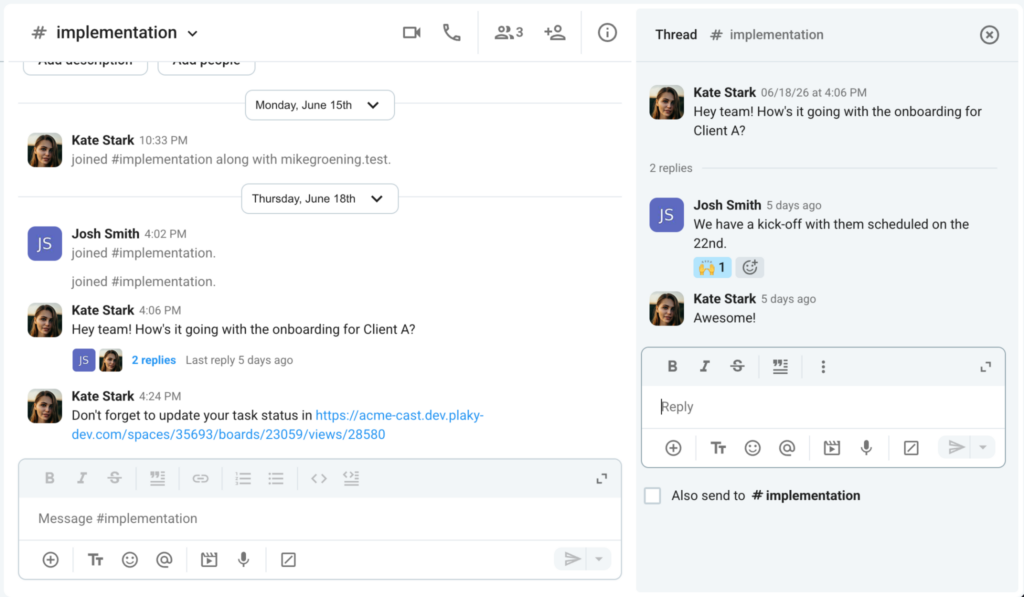
If the channel is too busy, you can have a conversation through Threads to keep track of a topic while keeping the conversation in the main channel ongoing. This also keeps topics organized, which you can search easily at a later time.
You can also reach out to a colleague or a group by sending a Direct message with them and start collaborating directly with each other.
Collaboration tools #
Aside from exchanging messages, you can also schedule a Group video call to collaborate and have your team updated on the tasks or projects they are working on. File sharing is available where you can share documents, images, and other media to the team.
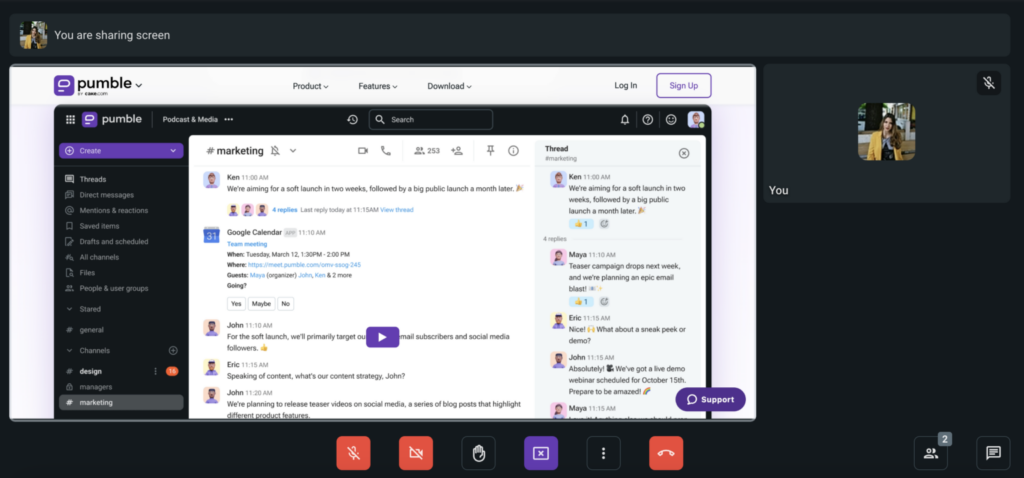
You can demonstrate your work while on a call through Screen sharing so the participants can visualize the topic being discussed.
Recording Voice messages or Video clips helps to relay information faster and save time in providing updates. The recorded messages are easily accessible via playback for those who missed the message the first time.
Messaging and file security #
Pumble is a secure communication platform with data encryption, which ensures that exchanged messages and files are restricted and only accessible to authorized users in your workspace. It is compliant with ISO 27001 and SOC2.
Watch this video to learn more about Pumble’s features.
Check out this quickstart guide for more information on using Pumble for your team collaboration.
You can also review this article for a comprehensive list of Pumble features.
Start working with CAKE.com Suite #
You can easily create a Pumble workspace from the CAKE.com homepage with the following steps:
- Navigate to
 Workspaces
 - Click
 Create workspace
 - Select Pumble from the dropdown list
- Enter the Workspace name
- Click Create
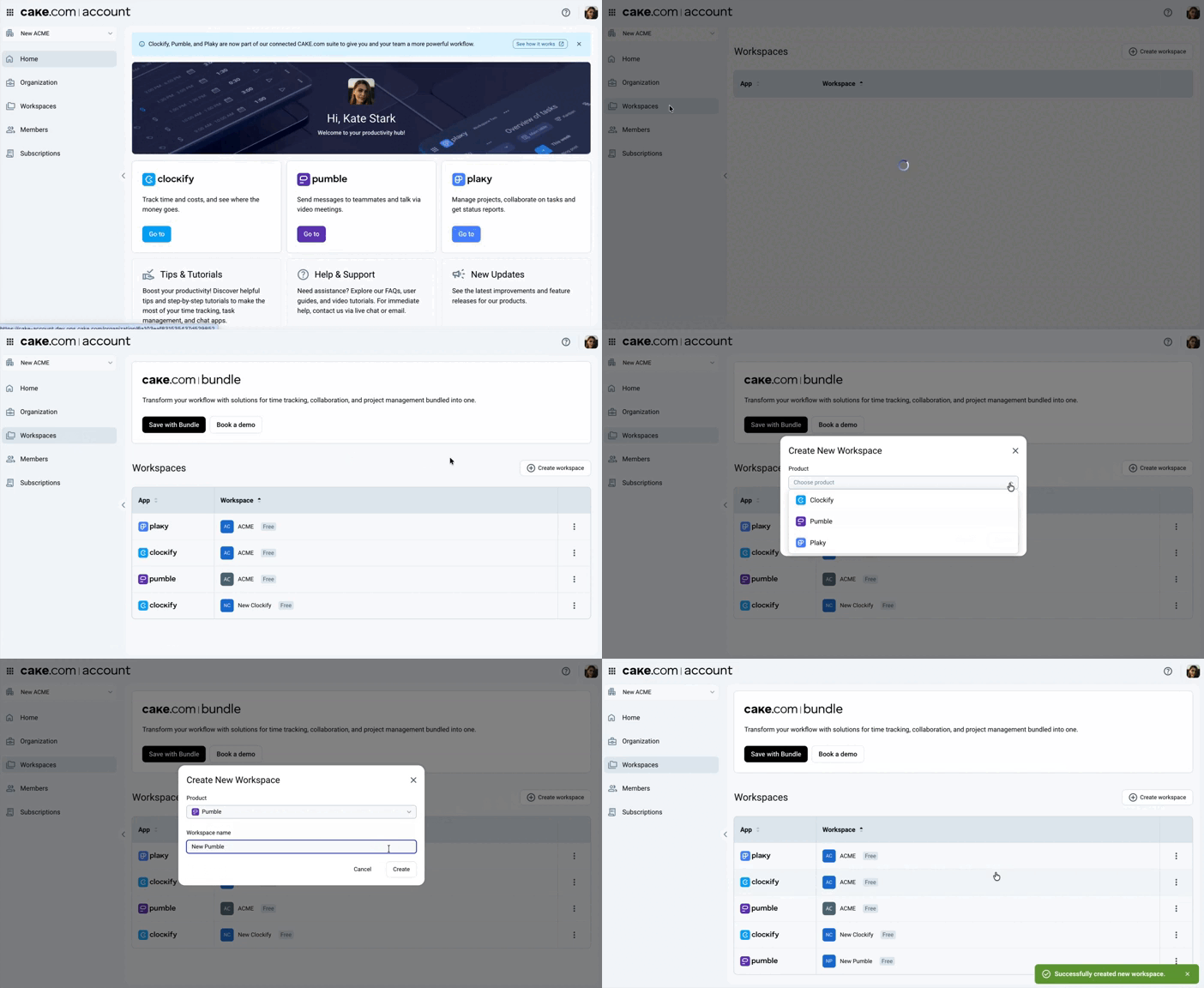
With your CAKE.com account, you can easily access and switch to Clockify and Plaky through the switcher without repeatedly logging in your credentials.
- For owners: Review the Owner onboarding guide to configure your organization
- For members: Check the Member onboarding guide to set up your profile and start collaborating with your team
You can access the Enterprise features and maximize the use for all CAKE.com apps through the CAKE.com Bundle subscription.