Clockify: Time and Productivity
Clockify is a time-tracking tool designed to monitor time and productivity of your team across the CAKE.com Suite.
CAKE.com Suite integration #
As part of the CAKE.com Suite, Clockify and Plaky can be integrated by setting up a Clockify project that matches to a Plaky board in the same organization. Once integrated, the time entries for items or tasks in Plaky are recorded in Clockify without having to switch apps.
You can also integrate Clockify and Pumble. By choosing notifications in your Preferences page, you can get timely updates about time-tracking activities in your Pumble workspace.
Core features of Clockify #
Time tracking #
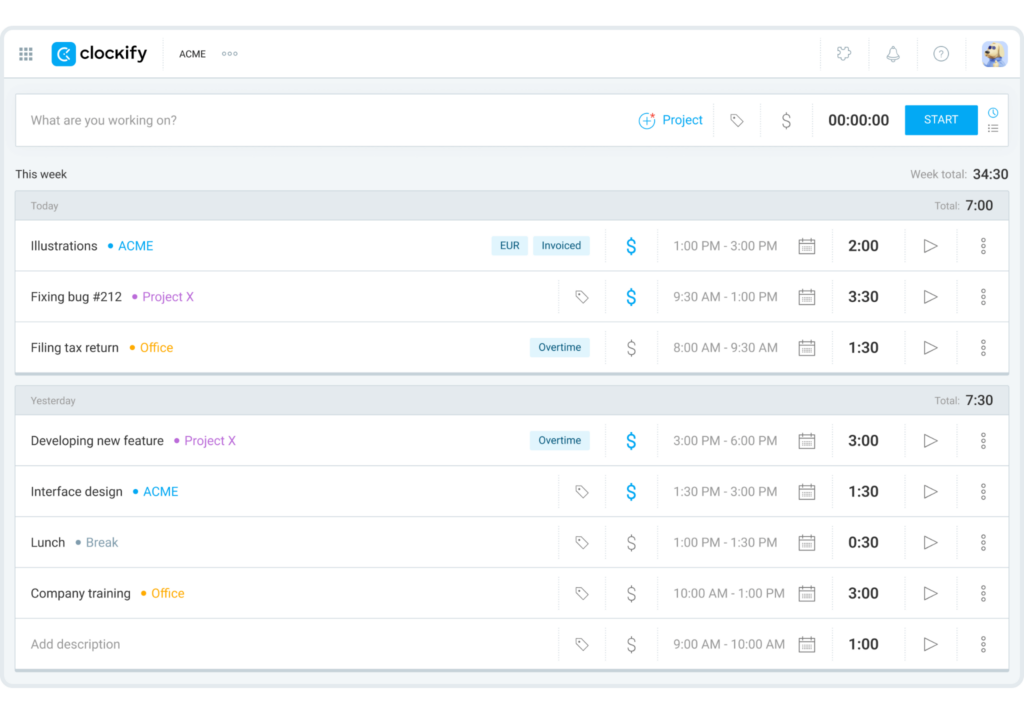
There are several ways to track time in Clockify. The Timer on the Time Tracker page allows you to record your time as you work on your tasks or you can create time entries manually after completing a task. If you have a Plaky board connected to your Clockify project, the recorded time entry also displays on this page.
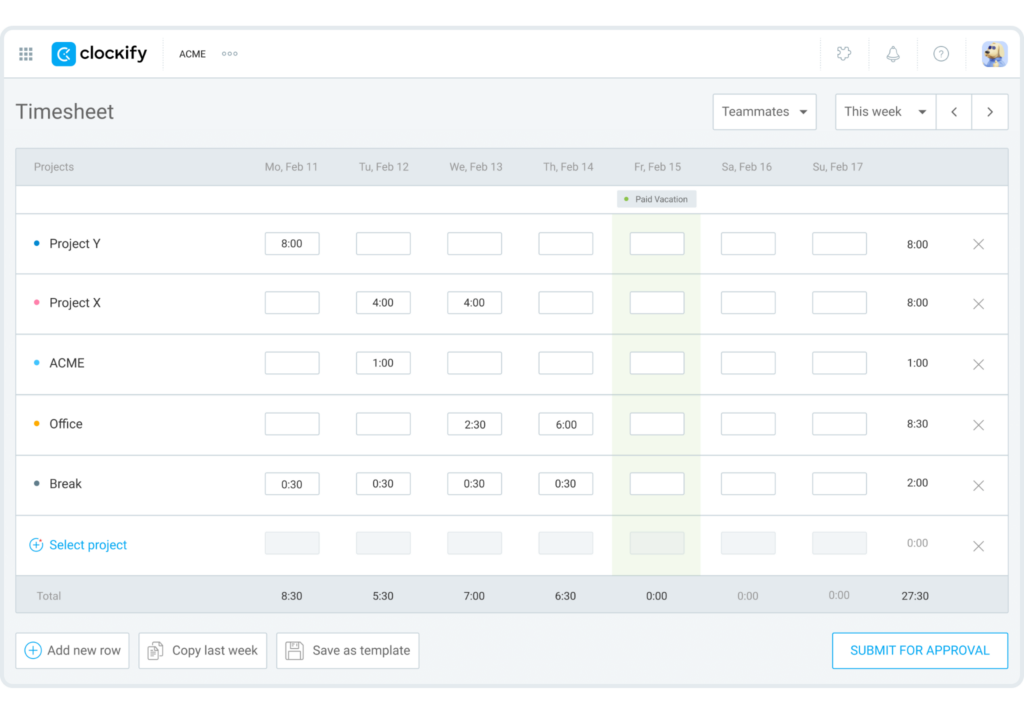
The workspace can be configured to allow creating time entries using the Timesheet. This feature is displayed in a weekly layout, which allows you to quickly log time entries per day for the tasks you completed for the whole week.
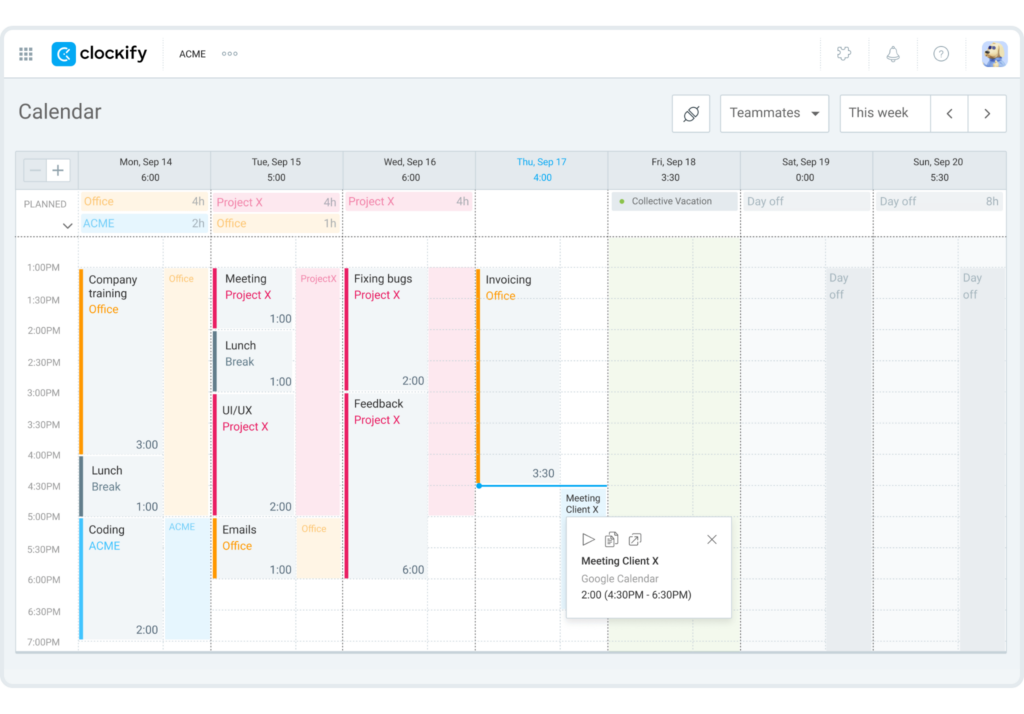
Time entries can also be recorded directly from the Calendar. You can sync your own calendar with Clockify, which allows you to easily record scheduled meetings into time entries.
Team monitoring #
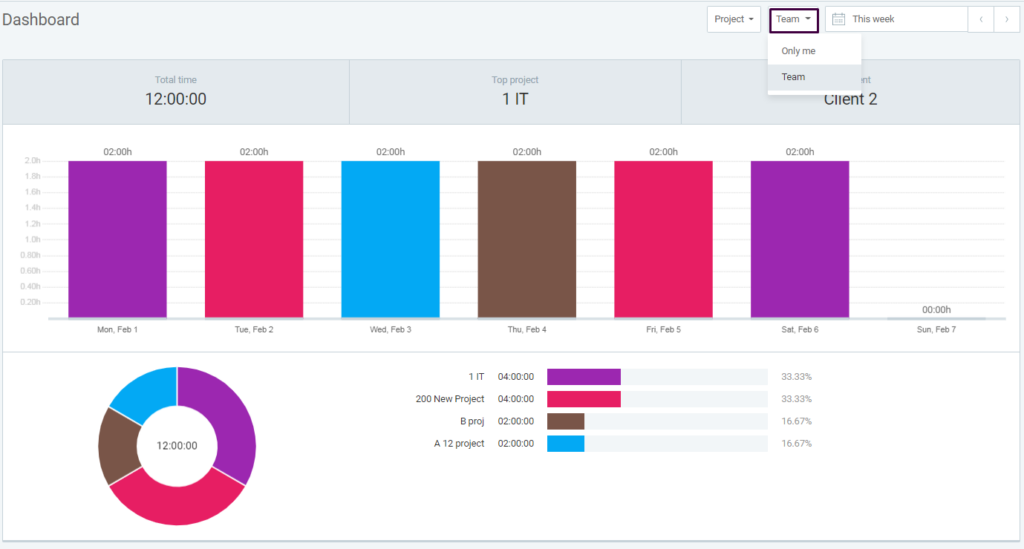
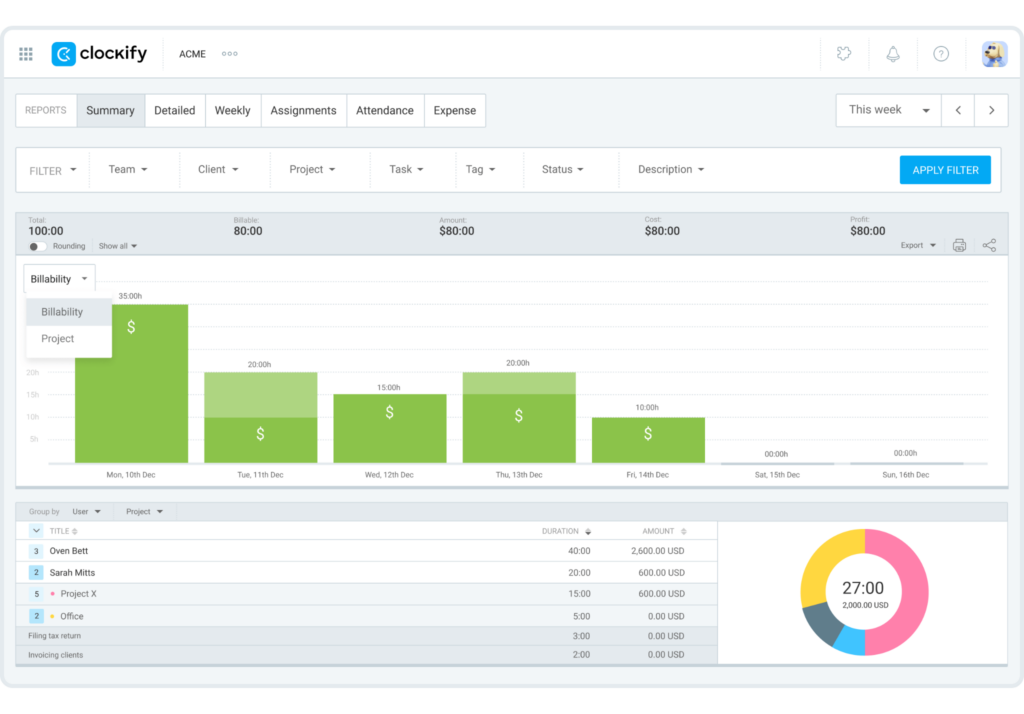
The Dashboard displays a visual summary of the total time spent by the user or the whole team for a selected time period (e.g. current week or previous month).
Aside from the dashboard, you can also export a Report containing all necessary information that can help you review and evaluate your team’s productivity and progress in the project.
Financial monitoring #
You can assign billable Hourly rates and Cost rates to projects and tasks, which you can summarize in a detailed or summary report for monitoring your profitability.
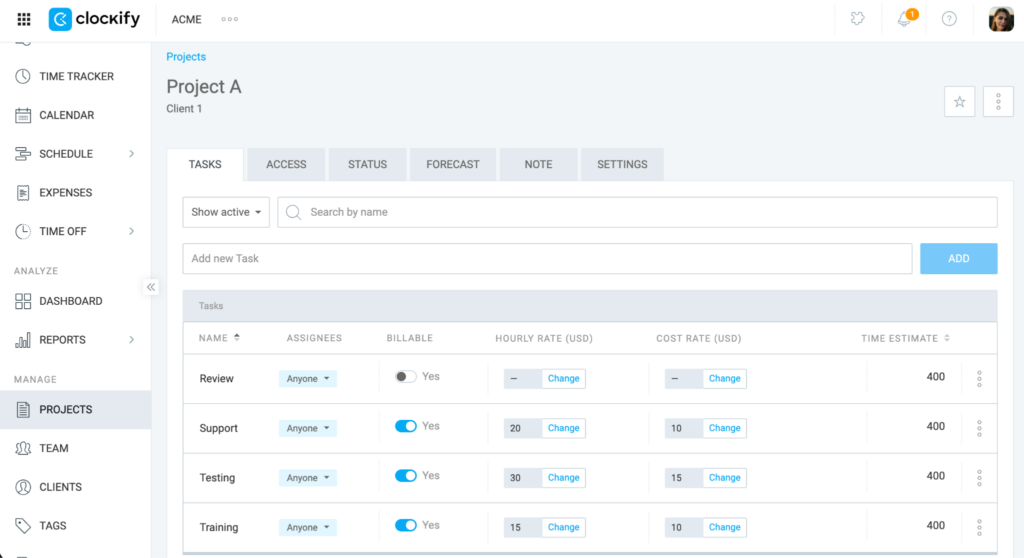
By comparing real-time progress against your original forecasts, Project estimates provide the data needed to keep your project on schedule and achieve your targets.
Watch this video to learn more about Clockify’s features.
Check out this onboarding checklist and start tracking your time with Clockify.
You can also review this article for a comprehensive list of Clockify features.
Start working with CAKE.com Suite #
You can easily create a Clockify workspace from the CAKE.com homepage with the following steps:
- Navigate to
 Workspaces
 - Click
 Create workspace
 - Select Clockify from the dropdown list
- Enter the Workspace name
- Click Create
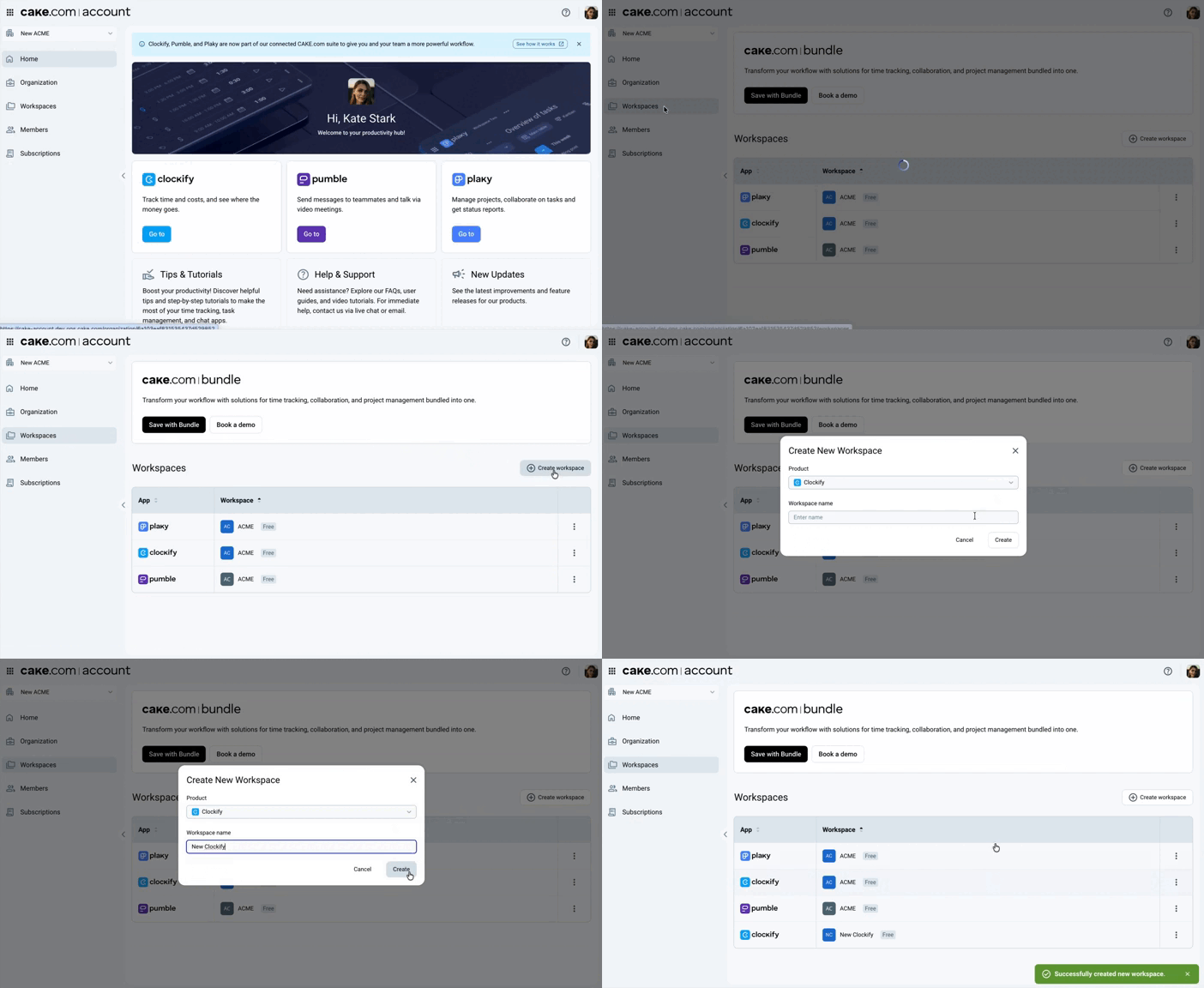
With your CAKE.com account, you can access and switch to Pumble and Plaky through the switcher without repeatedly logging in your credentials.
- For owners: Review the Owner onboarding guide to configure your organization
- For members: Check the Member onboarding guide to set up your profile and start tracking your work
You can access the Enterprise features and maximize the use for all CAKE.com apps through the CAKE.com Bundle subscription.