We’re always crafting new features or refining existing ones — all for the best UX.
November ‘25 was no exception.
It brought us plenty of insightful updates for Clockify, Plaky, Pumble — and the CAKE.com account that connects them all.
Now, let’s see what’s new.
Manage all CAKE.com apps from one account
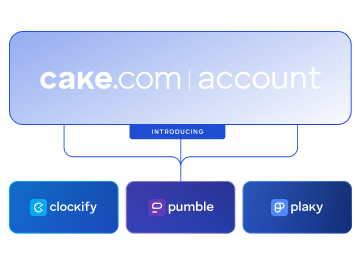
Use the CAKE.com Account to manage user settings and permissions across Clockify, Pumble, and Plaky at the same time.
CAKE.com’s new features
Transferring ownership of an organization has never been easier.
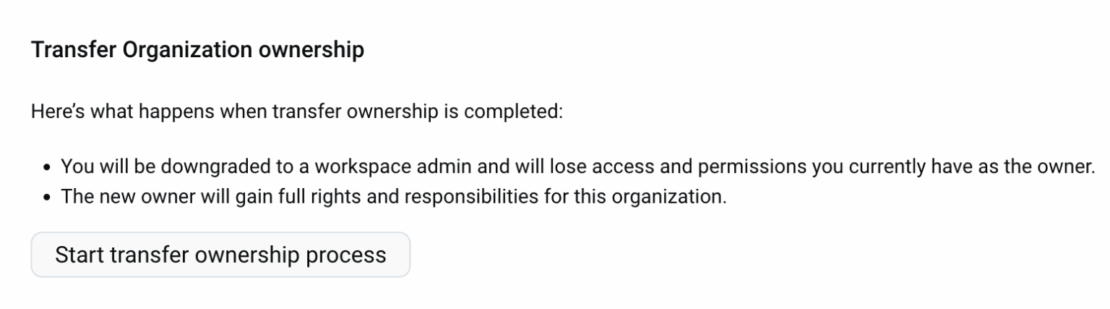
As the organization owner, you can now transfer ownership through the Organization page, and not just from the Members page.
You can choose any active member to be the new owner. Once you’ve done this, you’ll be downgraded to a workspace admin.
This feature is available on all plans.
Clockify’s new features
Clockify’s PTO option has been upgraded to offer an even better user experience.
Managers can now receive an email notifying them when employees should go on paid time leave. This way, they can allocate work more efficiently to those present and avoid unnecessary surprises.
If more than one employee takes PTO in the same week, the manager will receive a single email with all the names and dates of absence — instead of receiving an avalanche of notifications.
But, there’s more. We implemented an optional policy expiration for the Time Off feature. For each PTO policy that you have, you can choose whether it has an expiration date or not.
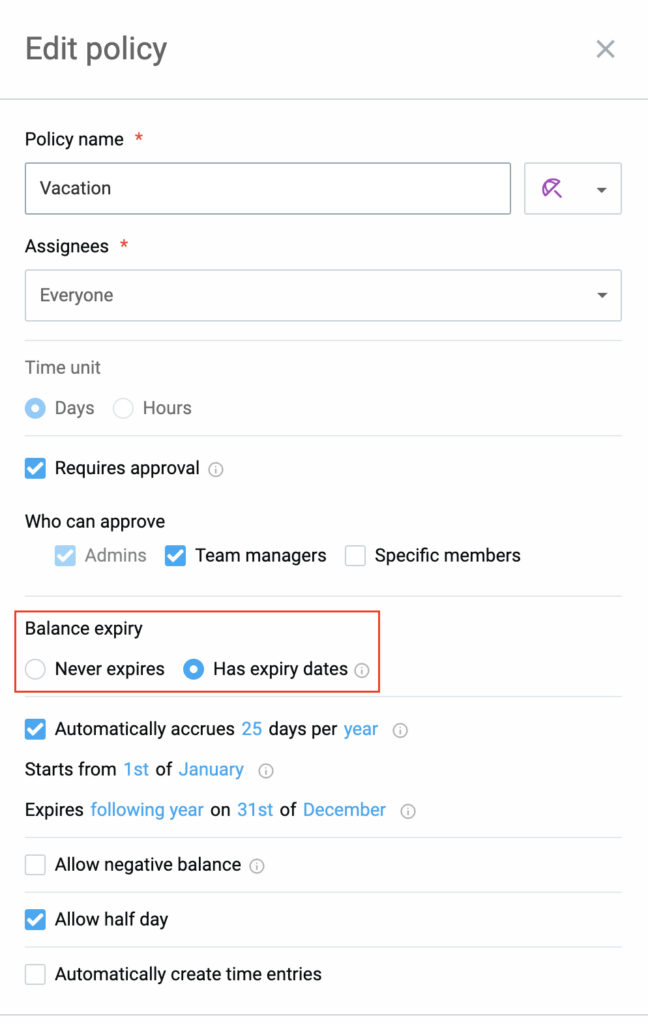
Follow these simple steps to upgrade your PTO policy:
- Go to -> Time Off page -> Settings -> Manage policies.
- Choose the policy you want to change and click on -> Edit.
- Select one of the following -> Never expires/Has expiry dates.
- If you go for -> Has expiry dates option, set the right dates for accruals and individual balances.
With this option, you can determine the exact dates when your employees can use their paid time off.
These Time Off feature updates are available on Standard, Pro, Enterprise, and CAKE.com Bundle plans.
Apart from those, Clockify users can now effortlessly approve, reject, or submit timesheets in bulk for greater efficiency.
Yes, that’s right — you don’t have to give commands for every single timesheet anymore. Simply head straight to the -> Pending section of your Approval page, and select all the timesheets you want and either approve or reject them.
For bulk submitting timesheets, go to the Unsubmitted section.
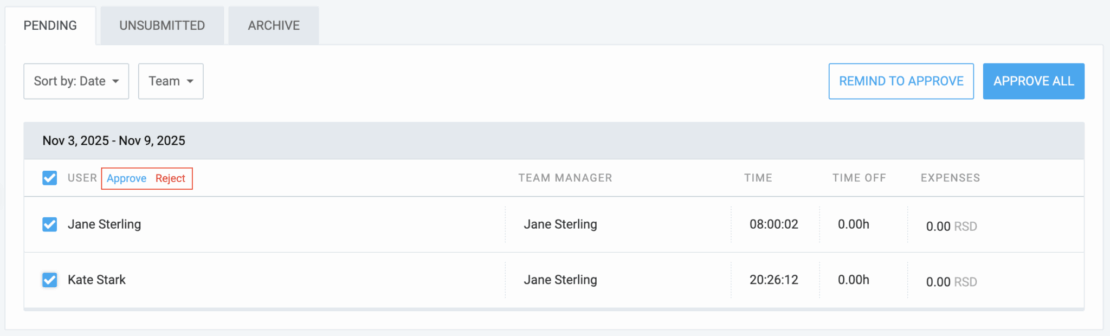
Note that all the timesheets will appear in the Archive tab. From there, you can review them again and make necessary changes.

Pumble’s new features
We also bring great news to all Pumble users, as they can now choose the French language for their desktop app. Simply change the language in your account settings by clicking on -> Preferences -> Language & Region -> French.
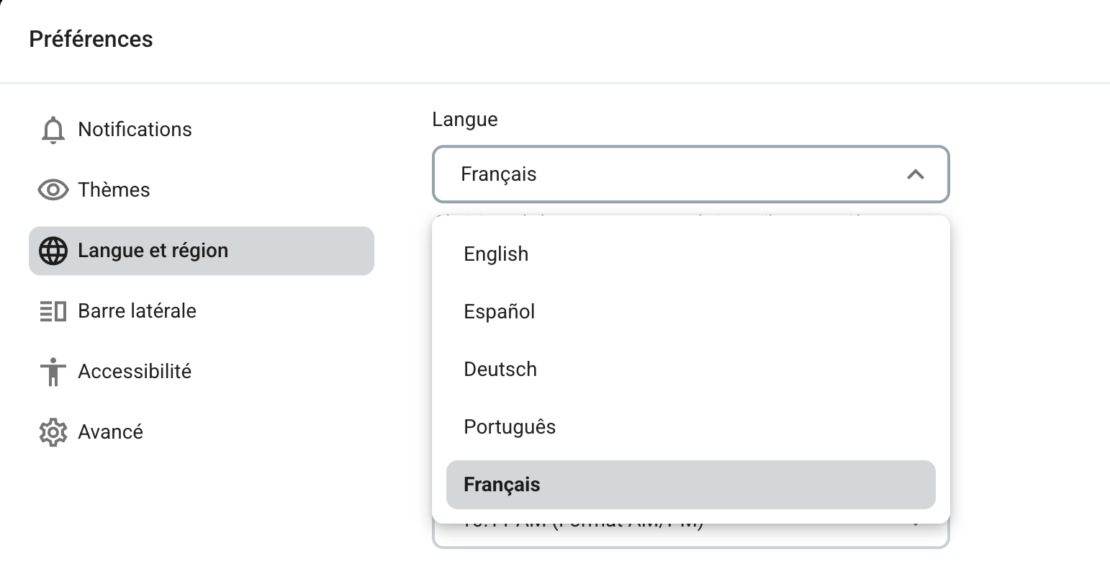
But, it gets even better!
Some messages are too important to just remain in a thread and should get their special spot in the channel. So, now, you can send threaded messages to a channel — they’ll be displayed in their chronological order.
This feature is available on all plans and devices (Android, iOS, and web).
Plaky’s new features
Plaky’s My Tasks feature has been greatly enhanced, letting you view your colleague’s My Tasks section. At a glance, managers can see if their employees are too busy or require additional tasks.
To view your colleague’s tasks, simply go to My Tasks, click on Settings, and enter the desired name under the Assigned person tab.
Note that private boards/spaces won’t be visible if you don’t have access to them.
This feature is available on trial/Pro/Enterprise/Bundle plans.
—
Shoutout to our diligent team of devs who brought us many improvements & new features — and continue to ensure the CAKE.com Productivity Suite remains a top-notch business solution.
Choose a pricing plan that fits your needs
Pick a set of superb features to take your business to the next level. The CAKE.com Bundle gets you Clockify, Plaky, and Pumble at a 53% discount!