Manage active sessions
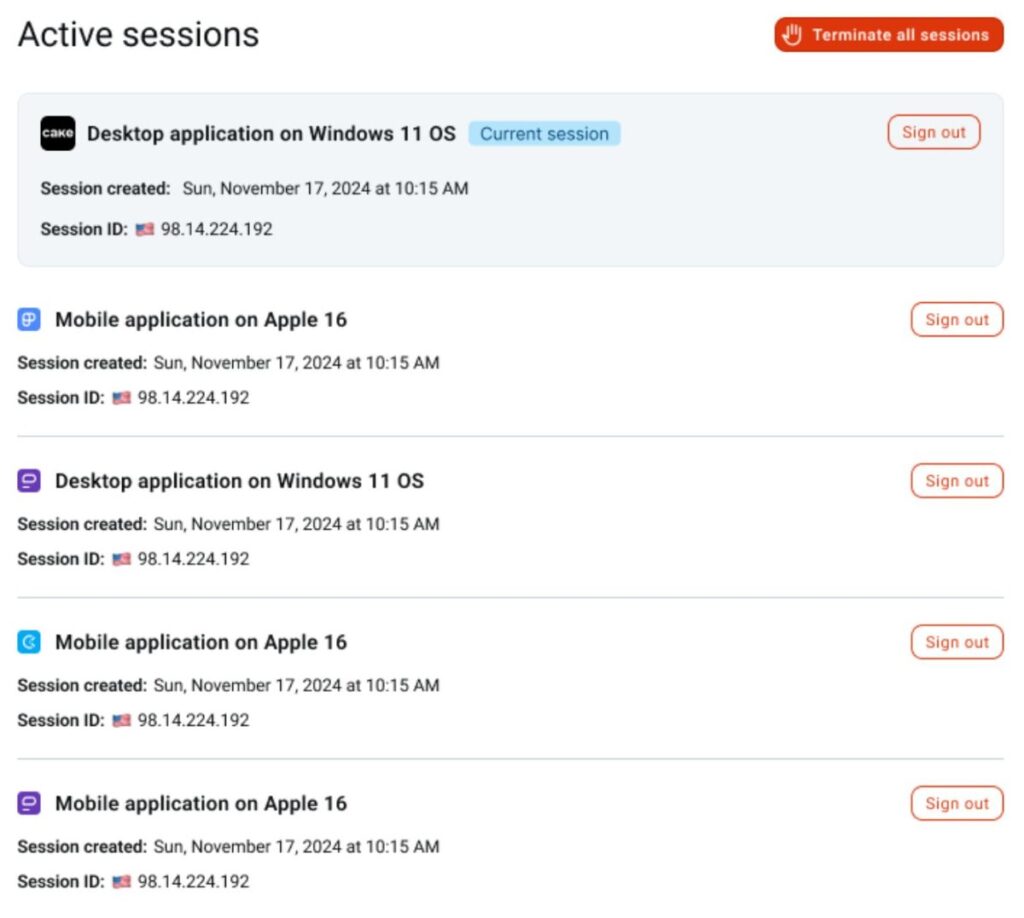
The Active sessions page allows you to view and manage all devices currently logged into your CAKE.com account. The page displays a list of all active sessions including details for each session such as device type, location, and login time.
You can choose to log out from a single session or all sessions from this page.
Terminate a session #
To terminate a single active session:
- Click your profile picture
- Click
 My account
 - Click
 Active sessions in the side bar
 - Click Sign out for a specific session
You can repeat the last step to terminate as many available sessions you want to terminate.
If you signed out from a session other than your current session, you will stay on the current page. Otherwise, if you signed out from your current session, you will be logged out and automatically redirected to the login page.
If you want to sign out of all active sessions in your account, click Terminate all sessions and you will be logged out of all devices including the current session, and redirected to the login page.
FAQs #
Can I terminate session for other users?
You can only manage and terminate your own active sessions. You cannot log out or terminate sessions for other users.
Are there plans for a feature to terminate session for other users in the future?
Currently, there is no plan to add this feature in our product roadmap. However, we regularly consider new features based on our users’ needs. If this is a feature you would like to see, please submit your request via our feedback form.