Published: September 11, 2026
Downloading useful apps for your work sounds great, but the reality is far from great.
Every new app brings notifications, messages, updates, and scattered information. This leads to situations where no one on the team uses the app the company pays for. To avoid this issue, it’s important to recognize and address app fatigue in your team ASAP.
- App fatigue refers to both mental and physical exhaustion from using too many apps in the workplace.
- 17% of employees switch between tabs, apps, or platforms more than 100 times a day.
- An average company interacted with as many as 254 AI applications in Q1 2025.
- Productivity increases when employees use up to 3 AI tools, and decreases after the 4th tool gets added.
What is app fatigue?
App fatigue (or tool fatigue) refers to both mental and physical exhaustion from using too many apps in the workplace (typically more than 3). A never-ending influx of new work-related apps, plus constant notifications, messages, and invites, takes a toll on employees over time.
However, tool fatigue should not be confused with burnout. The main difference is that fatigue comes from using too many tools, while burnout comes from working too much.
How to tell if your team has app fatigue
If your company uses too many tools daily, your team may already have app fatigue. However, you should also look for more specific signs to confirm this suspicion. Here are the top 3 suggested by our expert contributors.
Sign #1: Duplicate tools
COO at Suff Digital, Kriszta Grenyo, explains that employees should not have doubts about which tool to use for their current task:

“Using different apps that have the same functionalities is a clear sign of app fatigue. Although new tools can be incredibly useful, they often cause duplicate processes for the same task. Employees shouldn’t have to decide which tool to use every time they are assigned a new task.”
Duplicate tools lead to duplicate work. COO of ET Group Ahmed Ameen points out that using several tools for the same data is duplicate work, and it’s not financially wise:

“A big thing that I try to look out for is duplicate work. If someone is updating a project in one system and then copying the same information into another, then something clearly isn’t working.”
Elevate productivity with CAKE.com
Combine time tracking, team communication, and project management to boost your organization’s productivity — with the CAKE.com Suite.
Sign #2: Low adoption rates on recent purchases
Commercial Sales Manager at Desky Caitlin Agnew-Francis shares that a clear sign of app overload is that employees simply stop using them over time:

“Usually, the first sign is that a newly implemented tool is hardly used, but the company is still paying for it. Employees almost never formally complain about tools they do not like. Instead, they simply stop using them and go back to using emails and spreadsheets, as that keeps work-life much easier.”
For this reason, co-founder of Switchboard Justin Watt explains that monitoring the new tool adoption rate is crucial for avoiding app fatigue:

“We track usage of tools, as most AI tools let you see general usage along with getting 30- and 60-day check-ins with the person who proposed we use the tool to see if they and others are finding any actual value.”
Sign #3: Work happening in the wrong place
When your team is all over the place digitally, app fatigue sets in, and the sooner you address it, the better.
Our expert contributor Agnew-Francis recognizes the importance of having a maximum of 2 platforms, as anything more than this signals app fatigue:
“If a person somehow needs to log on to 5 different platforms to get something done instead of only 2, it makes one wonder about the workability of the tool.”
The real cost of tool overload
App fatigue may go unnoticed for a long time, as apps are considered useful. However, when there are too many apps, negative consequences can creep in subtly until you learn where to look. Here are a few real costs of tool overload.
Cost #1: Context switching
According to a Lokalise study on 1,000 US white-collar workers, 17% of employees switch between tabs, apps, or platforms more than 100 times a day. In fact, 1 in 5 employees waste more than 2 hours a week on this.
Cost #2: Attention residue
When employees are surrounded by too many tools, notifications, and distractions, this leads to attention residue. In other words, when people switch to a new task (or, in this case, tool), their brains are still stuck on the old task, preventing them from fully focusing on the present moment’s requirements.
Cost #3: Duplicate subscription
Companies waste around $18 million annually on unused licenses, according to SaaS Management Index. One of the main reasons for unused licenses is that tools overlap in functionality and are therefore redundant.
Cost #4: Cognitive load
Using too many tools means you need to know where every piece of information lives, where to search for answers, and where to post your findings. This only adds to your cognitive load, as you’re unsure what the single source of truth is in your company, and which tool holds the latest relevant news for your ongoing tasks.
Why AI tools are making app fatigue worse
The sheer volume of AI tools rolling out daily is enough to cause tool fatigue. For example, it has been found that an average company interacted with as many as 254 AI applications in Q1 2025.
With an increasing number of AI tools, focus efficiency declined to 60%, the lowest in the past 3 years, according to the AktivTrack 2026 State of the Workplace report.
Along similar lines, a recent Harvard Business Review article reveals that productivity multiplies when employees use up to 3 AI tools and starts to decline with the introduction of a 4th tool. This indicates that too many AI tools inhibit productivity.
Simply put, the number of AI tools should remain at a low level, so that the ones you’re actually using can provide the most benefits.
How to decide whether a new tool is worth it
Companies will not and should not stop implementing new tools. Yet, the tool they implement must be efficient and useful so both employees and the company can benefit.
CEO of The Art of Strategy Company Alison Geskin shares key questions you must ask yourself before implementing a new tool:

“We start with the work, not the tool. What friction are we actually trying to remove? Who owns the workflow? What will this replace? And what needs to change in how people work for the tool to create value? If we cannot answer those questions clearly, we are probably not ready to add another platform.”
Solution: Tool consolidation
One Harvard Business Review study suggests digital employees switch between applications up to 1,200 times per day. Yet, the Lokalise study above shows that 79% of employees admit their companies haven’t taken any steps to reduce tool fatigue.
To address this issue, a report on IT tool sprawl costs notes that consolidation can cut tool-related costs by up to 30% and increase team productivity by up to 25%.
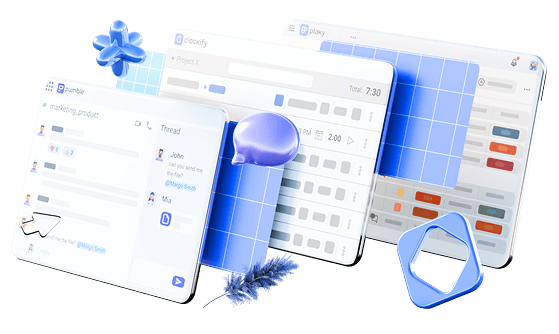
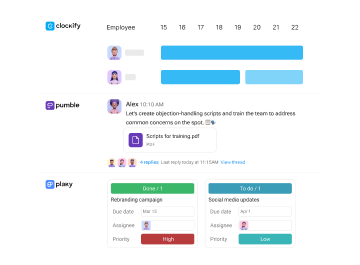
Productivity Suite CAKE.com has done just that, consolidating 3 important tools into a single account, at a 53% discount. Your CAKE.com account consists of:
These 3 tools integrate with each other to reduce context switching and help your team be more productive.
At their core, apps are useful if we use them wisely. It is up to us whether we cut through the noise by eliminating the least-used apps, or cling to the idea that we need an app for everything.
Streamline operations with CAKE.com
Discover the true power of integration. Use Clockify, Pumble, and Plaky together to simplify your workflows and increase efficiency.